
For macOS 13 and later
Find out what is actually eating your disk.
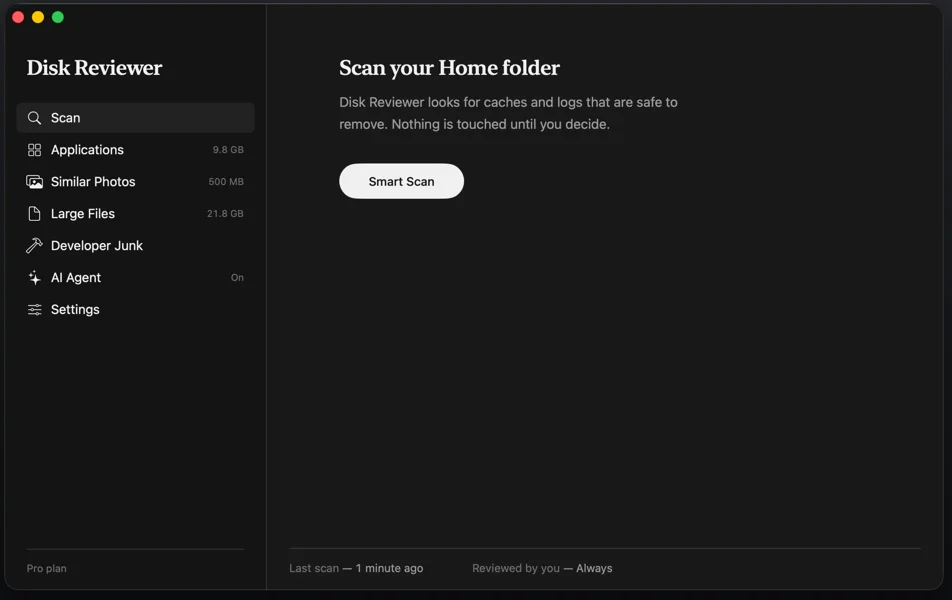
Disk Reviewer lists every file it finds — what it is, where it lives, how big it is — and removes only the ones you tick.
Free to scan · Pro is $4.99 a year · Apple Silicon and Intel
You do not look like you are on a Mac right now. Open this page on the
Mac you want to clean up: diskreviewer.com
The difference
Most cleaners ask you to trust a button.
One tap, a spinning animation, “12 GB cleaned.” You never learn what went. You find out weeks later, when something you needed is missing.
One button, no receipt
- ✕A single number, no list behind it
- ✕Items pre-selected on your behalf
- ✕Deleted outright, nothing to undo
- ✕Scan results uploaded “for analysis”
You see it, then you decide
- ✓Every item listed, with its real size and place
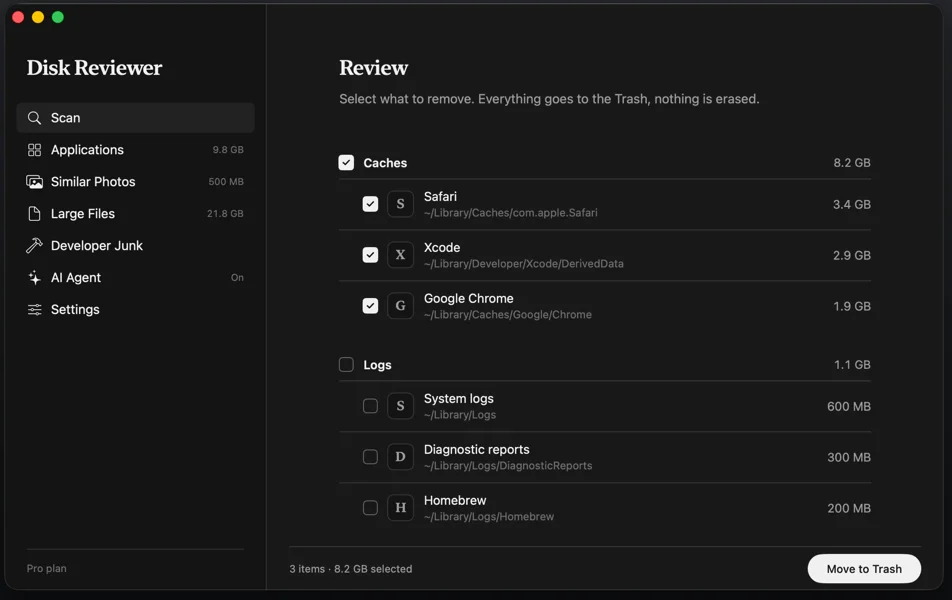
- ✓Nothing ticked for you — the list starts empty
- ✓Removals go to the Trash and can be put back
- ✓The scan engine has no network access at all
What it looks for
Six places space hides
Each one is its own screen with its own results, so you always know which pile you are looking at.
Caches and logs
The debris apps leave behind, grouped by app, with how much space each one is holding.
Applications
Uninstalls an app together with the support files, preferences and caches a drag-to-Trash leaves scattered around.
Similar photos
Groups the near-identical shots from a burst so you keep the good one. They move to Recently Deleted, where macOS holds them 30 days.
Large files
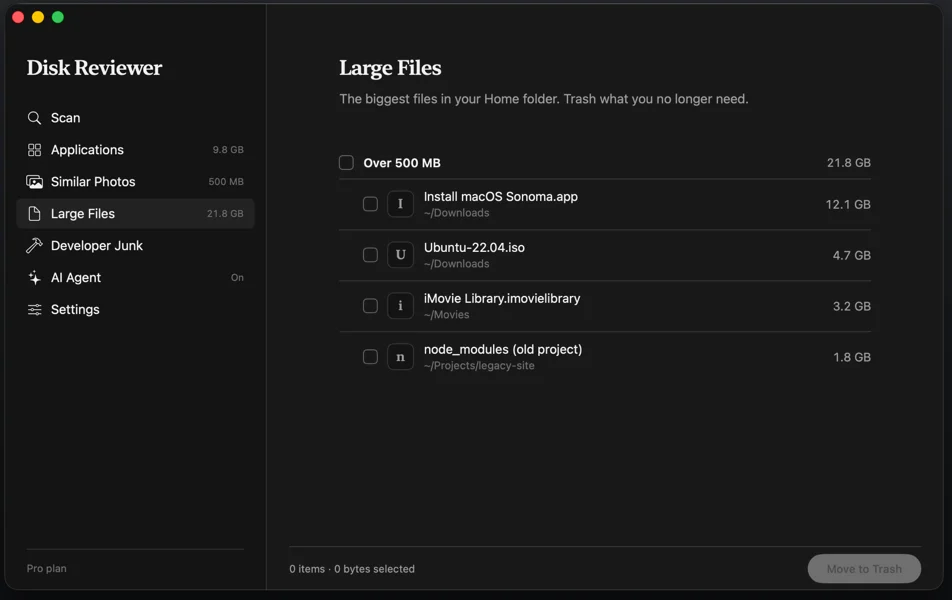
The biggest files on the disk, listed by size with where each one lives. It shows its progress while it looks and can be stopped at any time — on a full disk the search takes a few minutes, because it visits every file rather than guessing.
Developer junk
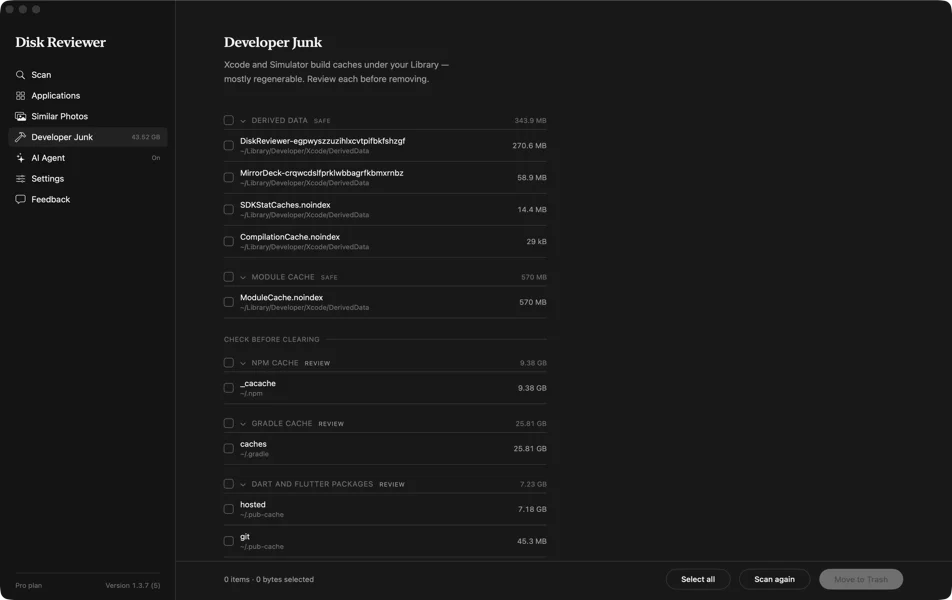
Xcode derived data and archives, retired simulators, npm, Gradle, Dart and CocoaPods caches, emulator images. If you build software, this is usually the biggest pile on the disk — often tens of gigabytes.
A background check
Re-examines the disk on a schedule you choose and speaks up only when there is real space to reclaim. What it last found sits in the menu bar, so the number is there without opening anything. It never deletes anything itself, and Off means off.
Safety
Undo is the default, not a feature
A cleanup app earns trust by what it refuses to do. These three rules are built into the app, not promised in marketing copy.
Trash only
There is exactly one place in the code that removes a file, and it hands that file to macOS's own Trash. Nothing is ever unlinked outright, so everything stays recoverable until you empty the Trash.
A blocklist in front
System locations, and anything outside the folder you granted, are refused before the question of deleting them can even come up.
No automatic mode
There is no “clean everything” switch and there will not be one. A confirmation dialog sits in front of every removal, on by default. You can turn it off; the app never turns it off for you.
Screens
See it before you install it
★★★★★ · Mac App Store review “I want to keep the disk on my MacBook as clean as possible and Disk Reviewer help me do it in the best way possible! Love the UI. It is so easy to use and it is soooo much helpful” — ilypopv
Disk Reviewer is a young app from a small team, so we are not going to show you a wall of five-star badges. This is a real review, quoted in full. The rest you can check yourself: the scan is free and tells you the number before anything moves.
Price
Scan for free. Pay only for the heavy tools.
The free plan has no countdown and no nag screen. It is a plan, not a demo.
- ✓Caches and logs
- ✓Applications, with their leftovers
- ✓Similar photos
- ✓Background check, with notifications
- ✓Everything in Free
- ✓Large files — the biggest files on the disk, by size, with where each one lives
- ✓Developer junk — Xcode, simulators, package caches and emulator images, each labelled with what removing it costs
Questions
What people ask first
Can it delete something I still need?
Nothing is removed until you tick it and press the button. Every removal goes to the Trash, so it stays recoverable until you empty the Trash yourself. Photos go to the Recently Deleted album, where macOS keeps them for 30 days.
Does anything about my files leave the Mac?
No. The scan runs entirely on your Mac, and no file name, path, size or scan result is sent anywhere. The scan engine is a separate component built with no network access at all, so it physically cannot report what it found.
Is the free plan a trial?
No. Caches and logs, Applications, Similar Photos and the background check with its notifications are free with no time limit and no countdown. Pro adds two sections for $4.99 a year: Large files, and Developer junk — the one that, on a developer's Mac, usually holds the most.
How much space will I get back?
That depends on your Mac, and we are not going to invent a number for a landing page. The scan is free and tells you the real figure before anything moves. Developers usually find the most, because Xcode caches and old simulators grow quietly.
What does it run on?
macOS 13.0 Ventura or later, native on both Apple Silicon and Intel. It is distributed through the Mac App Store and runs fully sandboxed.
Find out what is on your disk
The scan costs nothing and tells you the number before a single file moves.
Download on theMac App StoreQuestions first? Support · Privacy Policy